
Roles and permissions (RBAC).
Console access is set per member by a role: five predefined ones — Org owner, Org admin, Cluster operator, Read-only and Billing-only — plus any custom role you compose from the same nine capabilities. Three of those nine are enforced on the API today; the other six are descriptive. A separate layer, database RBAC, governs what a query can touch once it reaches a database.
If you're looking for database logins, credentials, or the IP access list, those are on Database users and access.
Members and invitations.
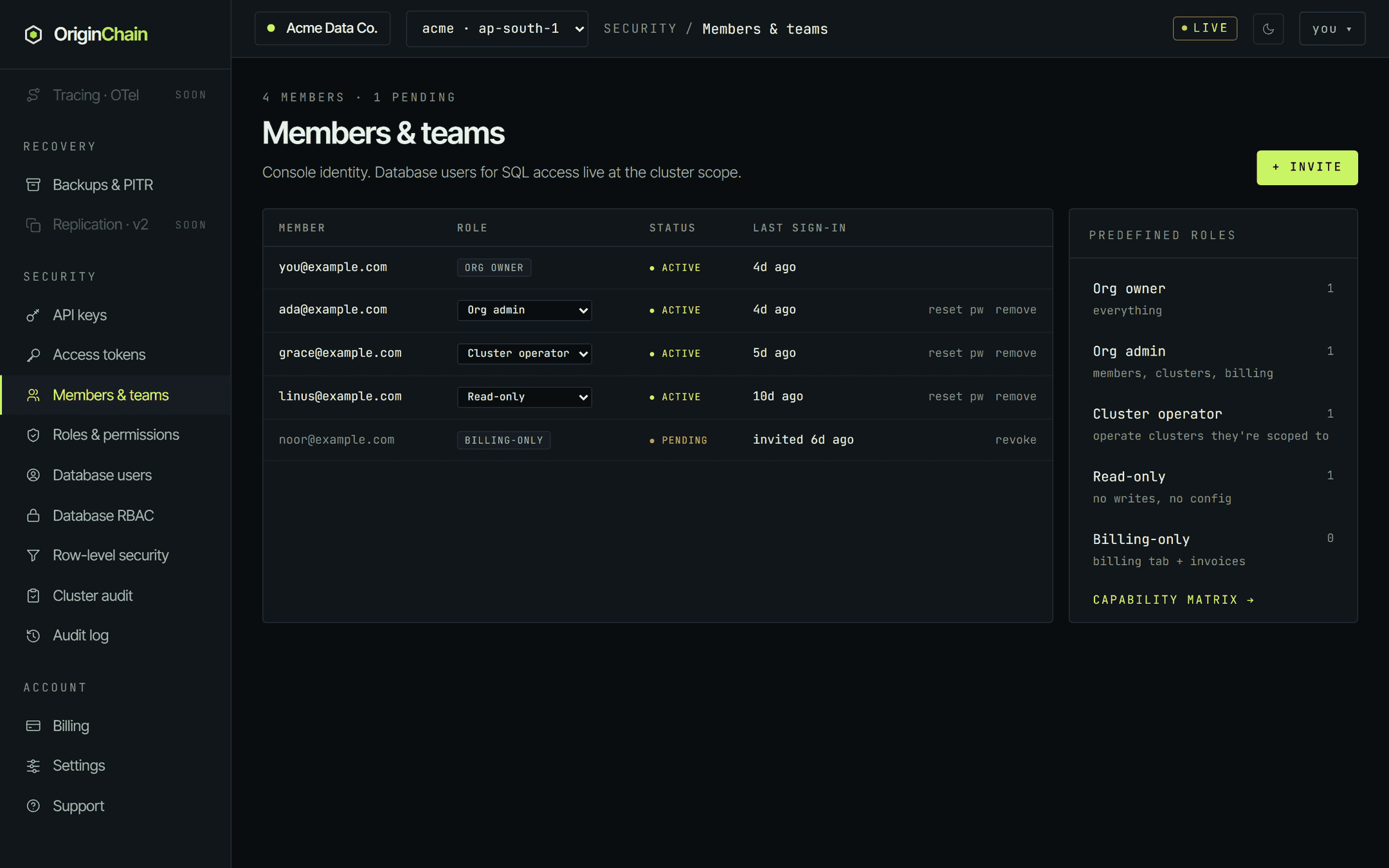
Security → Members & teams is the roster. Active members and pending invitations share one table: member address, role, status, last sign-in, and the actions you're allowed to take. The panel on the right counts how many people hold each predefined role and links straight to the capability matrix.
Invite a teammate.
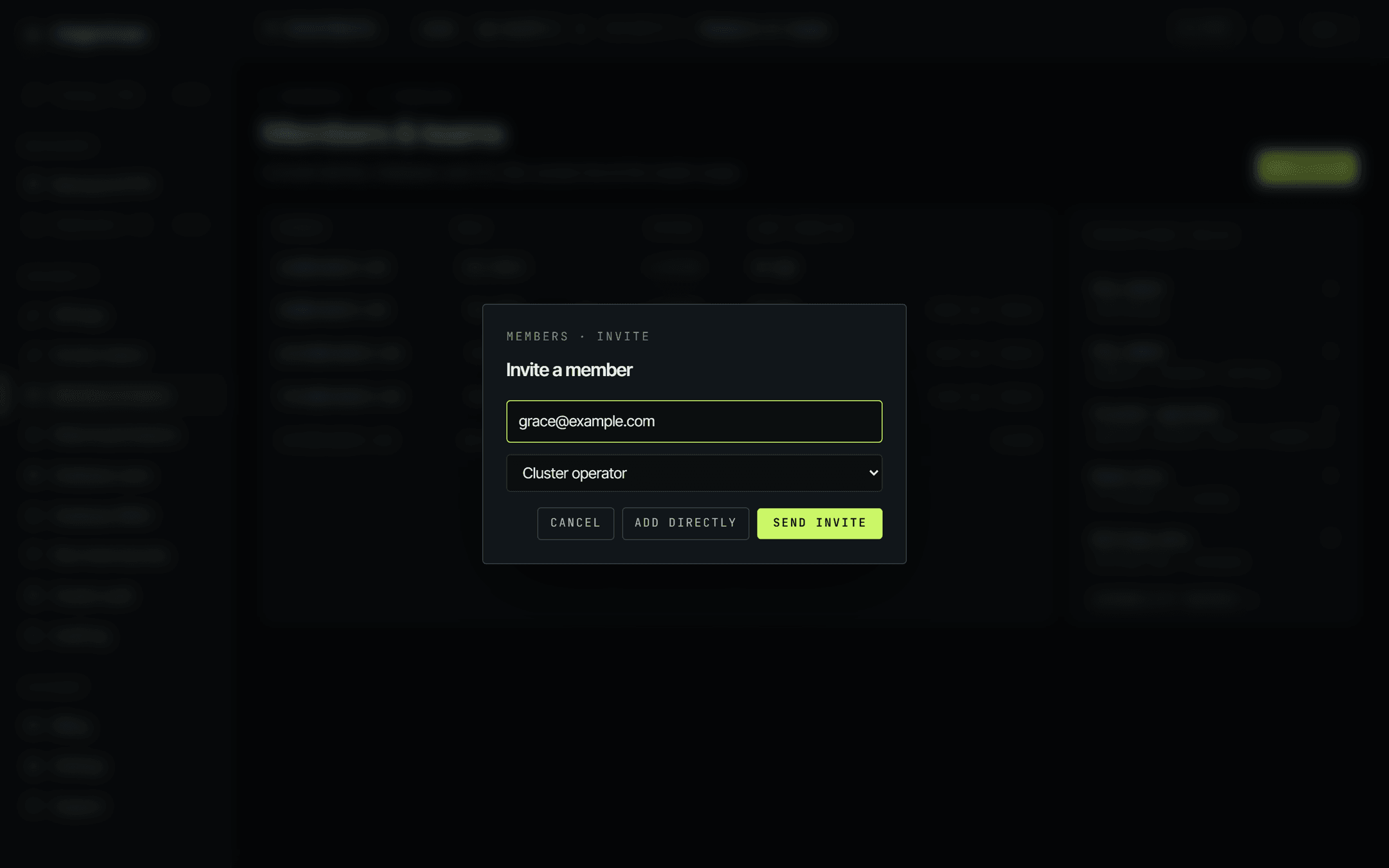
+ Invite takes an email address and a role, and then offers two ways to finish:
- Send invite — emails an invitation link. The person appears in the table as pending until they accept. Accepting requires them to be signed in as the invited address, so a forwarded link doesn't let someone else in.
- Add directly — creates the account immediately with a temporary password, no email round-trip. The password is displayed once, in the dialog, with a copy button; hand it over out of band. They change it from account settings on first sign-in.
The role dropdown in the invite dialog offers every predefined role except owner — you promote someone to owner from the roster afterwards, not at the invite step.
A pending invitation can be withdrawn with revoke. An active member can be removed with remove, or given a fresh one-time password with reset pw — that one signs them out everywhere and forces a password change on next sign-in, which is what you want for a locked-out or compromised account.
The five predefined roles.
Security → Roles & permissions renders the whole model as one grid: nine capabilities down the side, every role across the top. The console reads it from the same source the API checks, so what you see is the mapping, not a hand-maintained copy of it.
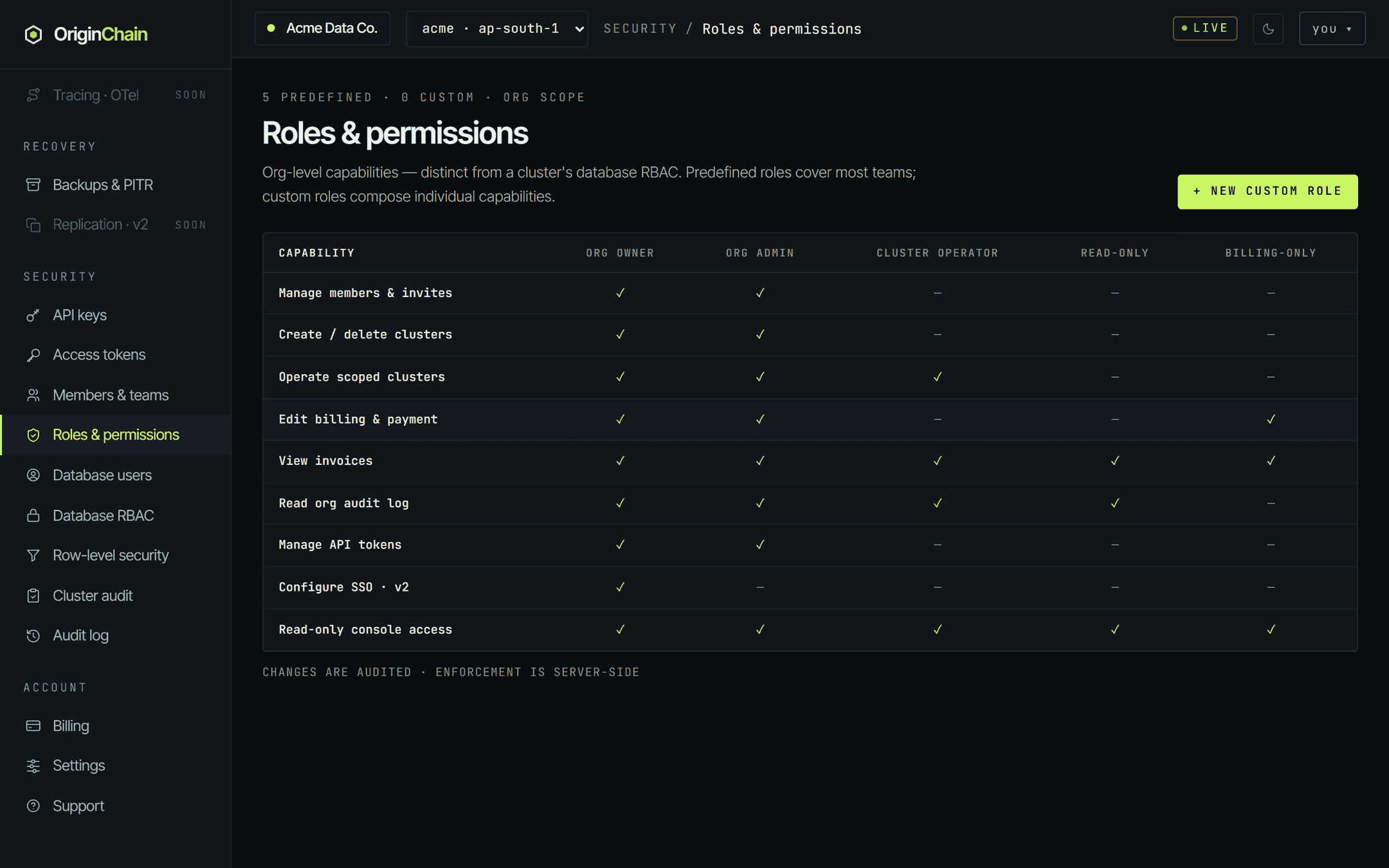
| capability | Org owner | Org admin | Cluster operator | Read-only | Billing-only |
|---|---|---|---|---|---|
| Manage members & invites manage-members | ✓ | ✓ | — | — | — |
| Create / delete clusters create-delete-clusters | ✓ | ✓ | — | — | — |
| Operate scoped clusters operate-clusters | ✓ | ✓ | ✓ | — | — |
| Edit billing & payment edit-billing | ✓ | ✓ | — | — | ✓ |
| View invoices view-invoices | ✓ | ✓ | ✓ | ✓ | ✓ |
| Read org audit log read-audit-log | ✓ | ✓ | ✓ | ✓ | — |
| Manage API tokens manage-api-tokens | ✓ | ✓ | — | — | — |
| Configure SSO · v2 configure-sso | ✓ | — | — | — | — |
| Read-only console access read-only-console | ✓ | ✓ | ✓ | ✓ | ✓ |
Role identifiers on the wire are owner,
admin,
cluster_op,
read_only and
billing. The console labels them Org owner, Org
admin, Cluster operator, Read-only and Billing-only.
What each capability actually gates.
Three of the nine turn into a real permission check on the API today. The rest describe the intent of a role without restricting the corresponding screens yet. That distinction matters if you're planning around it, so it's spelled out rather than implied.
| capability | status | what it decides |
|---|---|---|
| Manage members & invites | enforced | Sending and revoking invitations, adding a member directly, resetting a member's password, changing a member's role, removing a member, and creating a custom role. All refuse with a permission error without it. |
| Create / delete clusters | enforced | Deleting a database, and deleting a schema. Both refuse without it. |
| Operate scoped clusters | enforced | Rotating a database's shared bearer token, and running schema migrations. Both refuse without it. |
| Edit billing & payment | descriptive | Descriptive. The billing pages are not gated on this capability today. |
| View invoices | descriptive | Descriptive. Invoice and usage views are not gated on this capability today. |
| Read org audit log | descriptive | Descriptive. The org audit log is not gated on this capability today. |
| Manage API tokens | descriptive | Descriptive. Personal access tokens are already per-member and scoped to the holder — see the IAM page. |
| Configure SSO · v2 | descriptive | Reserved for single sign-on, which is not shipped yet. Owner-only in the matrix. |
| Read-only console access | descriptive | The baseline every role holds; it is what lets a member open the console at all. |
A member with any role can sign in and read the console. The enforced capabilities stop the destructive and membership-changing actions — deleting a database or schema, rotating a shared bearer, running a migration, and every change to who is in the org. Beyond those, treat a role as a statement of what someone should do rather than a wall. If you need a hard boundary — for a contractor, an auditor, or anyone outside the team — give them their own organisation and their own database instead.
Changing someone's role.
On the roster, a member's role cell is a dropdown. Pick a new role and it saves immediately — there is no separate confirm step. Two things in that sentence have exceptions worth knowing:
- The dropdown only appears if you hold Manage members & invites. Without it the roster is read-only and the Invite button is hidden entirely.
- An owner row renders as a plain label, never a dropdown, and carries no remove or reset action. Changing an owner's role is not something the roster does.
The API refuses three things outright, and the console surfaces the refusal as an alert:
| if you try to | you get |
|---|---|
| Demote the last remaining owner | can't demote the only owner — promote another member first |
| Remove yourself | you can't remove yourself |
| Remove the last remaining owner | can't remove the only owner |
There is no guard against demoting yourself from admin down to a weaker role — your own row carries the same dropdown as everyone else's. If you do that and nobody else holds Manage members, you'll need an owner to put it back. Promote a second owner before you start reshuffling.
Custom roles.
+ New custom role on the Roles page composes a role from individual capabilities: give it a name, tick the boxes, create. It then appears as an extra column in the matrix, tinted to mark it as custom, and the header count moves from 0 custom upward.
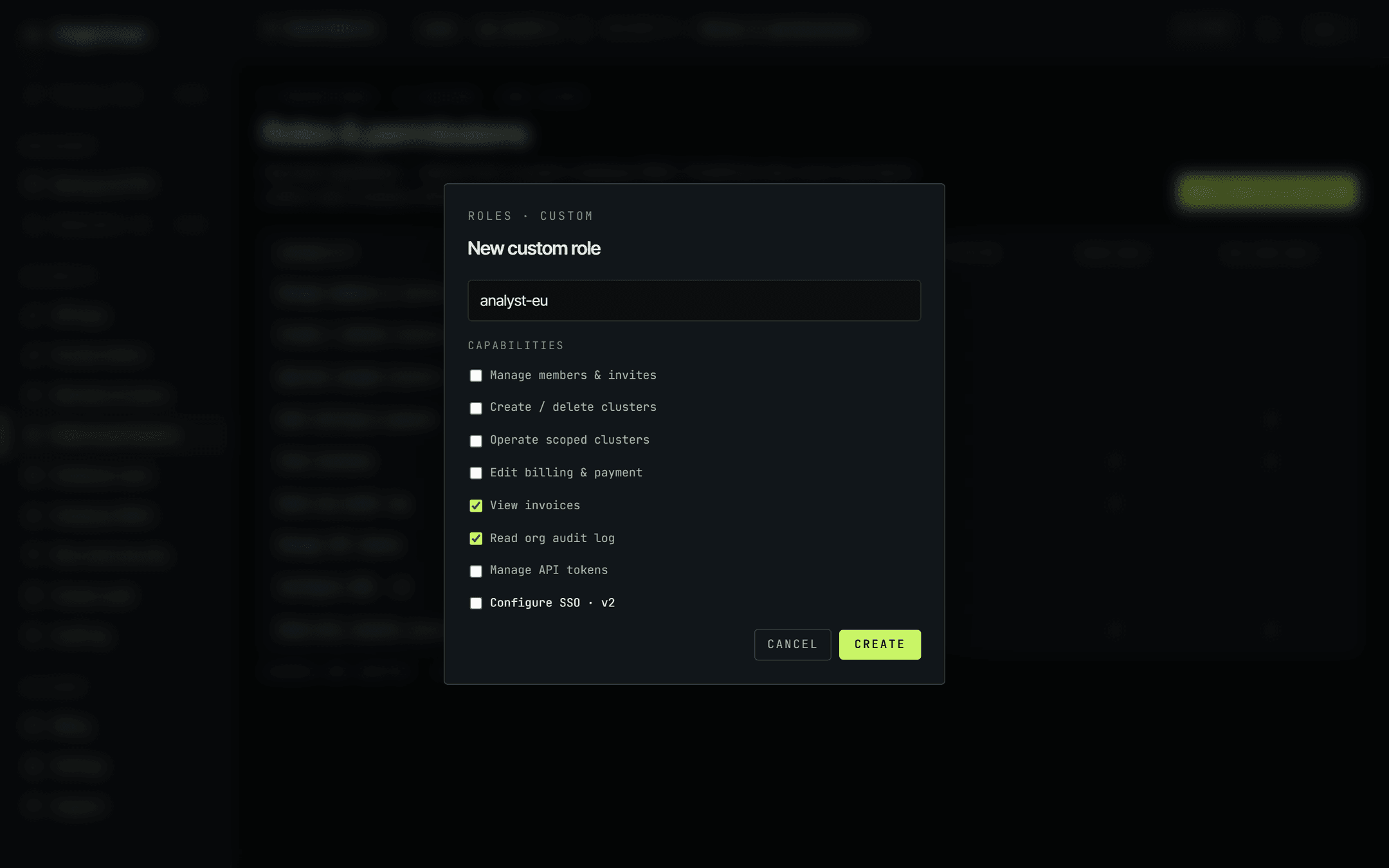
Custom roles are additive only: you can compose any subset of the same nine capabilities, but you cannot invent a tenth. The same enforced-versus-descriptive split from the table above applies, so a custom role is a precise statement of intent plus real gating on the three enforced capabilities.
Creating a custom role itself requires Manage members & invites. If a role can't be resolved for any reason, the account falls back to read-only console access rather than to something permissive.
Database RBAC.
Security → Database RBAC is the second layer, and it shares nothing with the org roles above. Its roles are named by you, live inside one database, and attach to database users rather than to people who sign in to the console. An Org admin has no database privileges by virtue of being an admin.
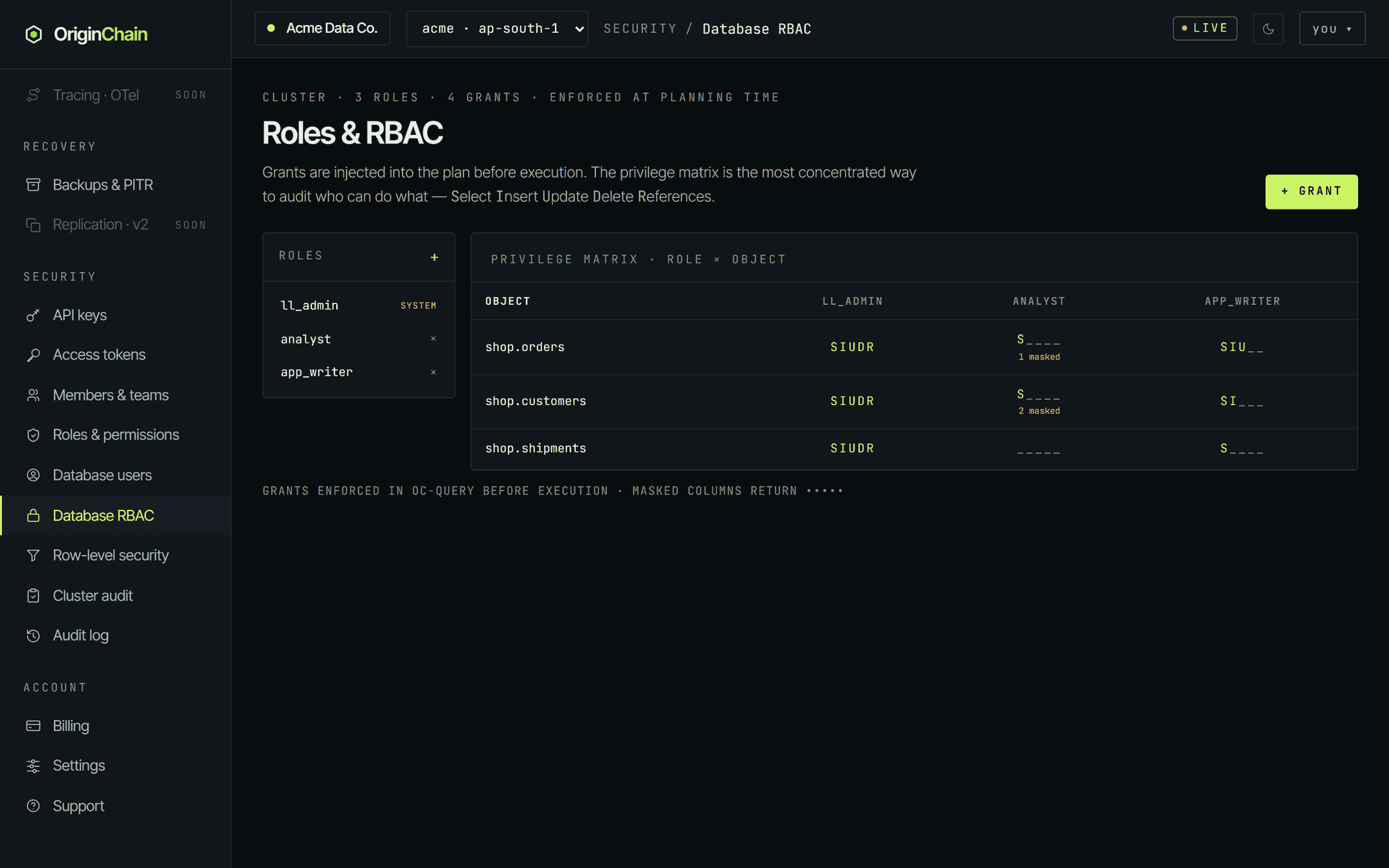
The matrix reads object × role, with each cell rendered as five slots — Select, Insert, Update, Delete, References. A role with no grant on an object shows five dim underscores. A count of masked columns appears under the cell when the grant masks any.
- Roles panel — + creates a role, optionally inheriting from other roles by name. Roles marked SYSTEM can't be deleted; ll_admin is the built-in administrative role that the database's own bearer acts as.
- + Grant — pick a role and an object (or * (all)), tick the privileges, and optionally list columns to mask. Masked columns come back as
•••••instead of their value.
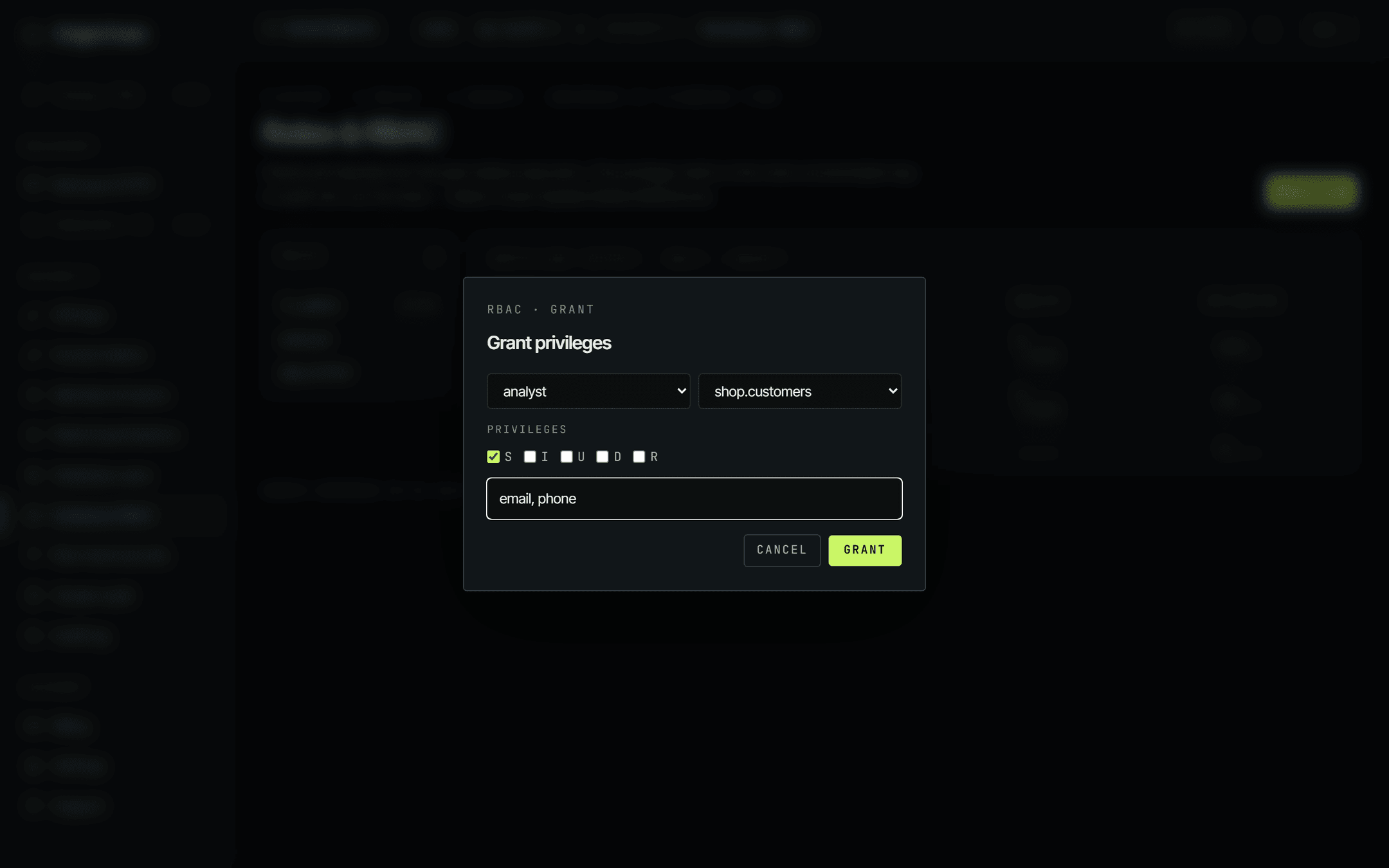
Grants apply to queries that arrive identified as a database user. A read by such a user is refused if its roles don't carry S on every table the query touches, and masked columns are blanked in what comes back. The remaining four letters are recorded on the grant and shown in the matrix, but they are not a write barrier today — the enforcement table on the IAM page lays this out in full. Layer row-level security on top when you need to restrict which rows a role sees, not just which columns.
Every change here — role created or deleted, grant put or revoked — lands in the cluster audit chain.
How to actually set this up.
Owner is the only role that can't be demoted from the roster and the only one holding Configure SSO. Keep exactly two, so the last-owner guard never blocks you and a single lost account never strands the org. Everyone else who needs to run the place is an Org admin.
Cluster operator is the useful middle: it can rotate bearers and run migrations, but it cannot delete a database or a schema, and it cannot touch membership. That is the right default for the people on call. It also mints read/write personal tokens, which Read-only and Billing-only do not.
Finance rarely needs to operate databases. Billing-only is the narrowest useful role: no cluster capabilities at all, and its personal tokens are read-only. Use it instead of handing an admin seat to someone who only ever opens the invoices page.
A personal access token can only be revoked by the member who created it — the console has no admin surface for revoking someone else's. So ask the departing person to revoke their tokens on Access tokens before you remove them from the roster. Removing a member does narrow what their existing tokens can do, because token access follows current role, but it doesn't delete them. Then remove the member, and delete any database users they alone were using.
On the database side, give each application, job and analyst its own database user with its own key and the narrowest role that works. That way the cluster audit log names the actual consumer when something changes, and retiring one consumer is a single delete rather than a fleet-wide bearer rotation.