
An exception inbox should tell an operator what needs attention and why. Keep each finding attached to an order and a responsible role, so a missing receipt does not disappear inside an aggregate total.
Executed synthetic walkthrough: the report was run in the actual OriginChainDB console, exported as CSV and validated by the local application adapter. Three reviewed light-mode screenshots are included.

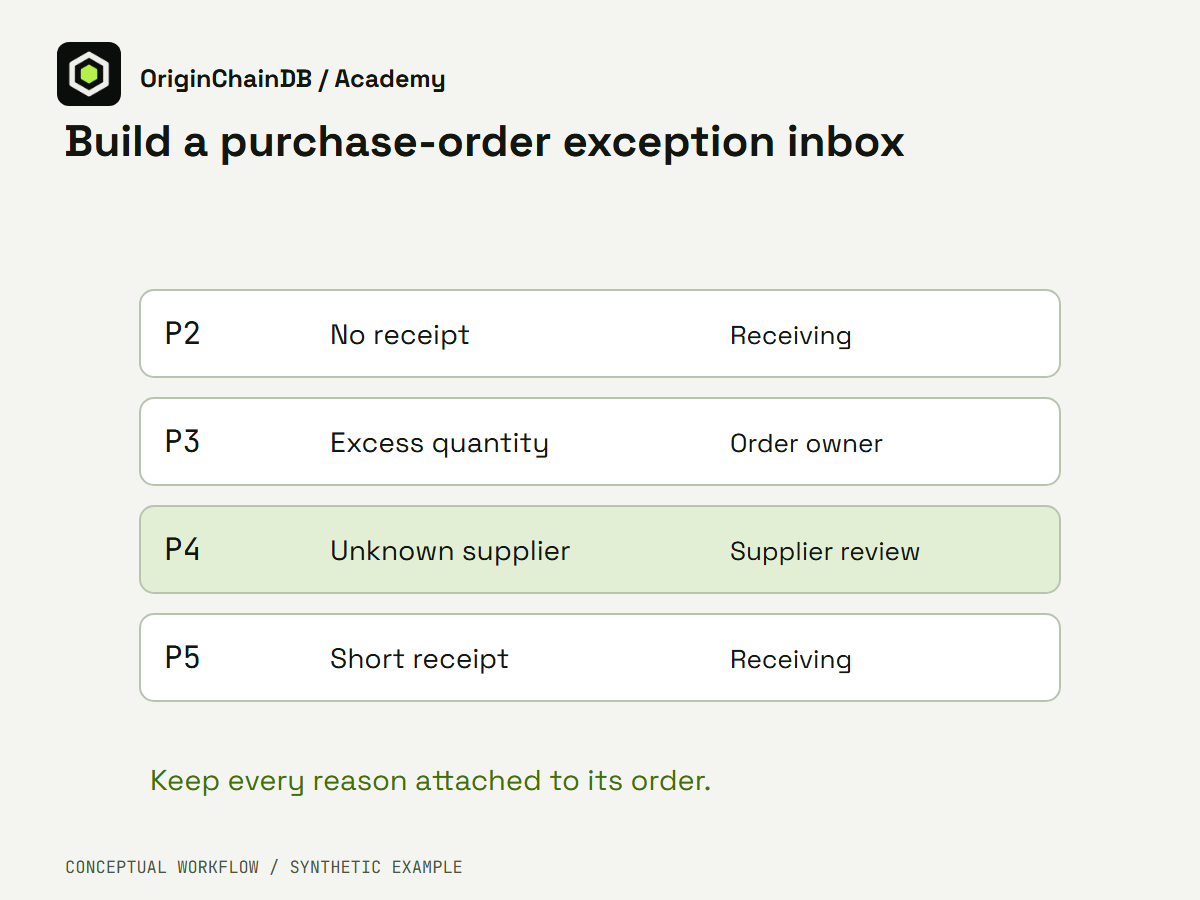
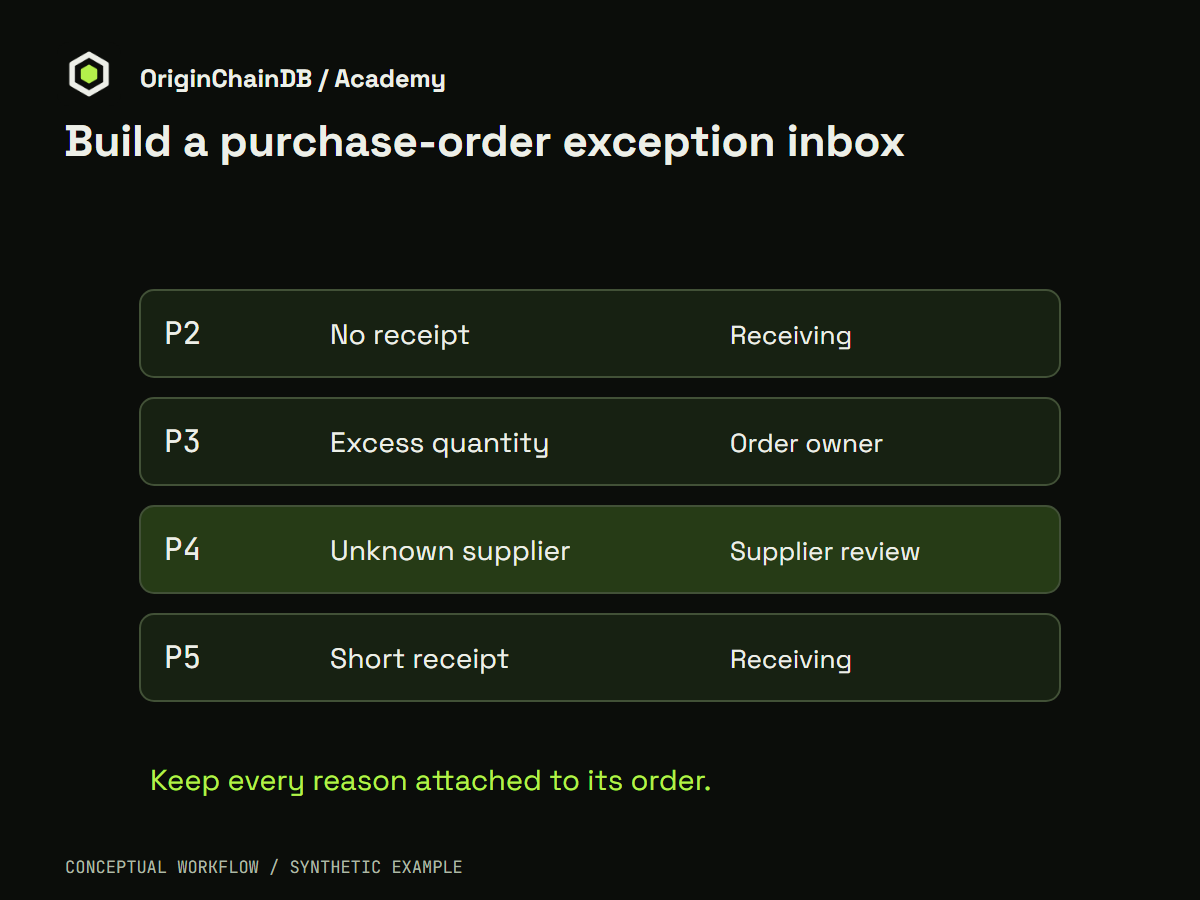
Conceptual illustration of the synthetic application workflow. Light PNG · Dark PNG. This is not a product screenshot.
The data contract
Orders are the complete starting set. Receipts contribute observed quantities; a supplier reference list establishes which supplier IDs are recognized. One order can create more than one finding, so the application returns a list of reasons rather than one overriding status.
Prepare the fixture
The fixture has six fictional orders. P1 is balanced. P2 has no receipt. P3 has an excess quantity. P4 uses an unknown supplier. P5 is short of the ordered quantity. P6 is a second balanced order. Quantities are integer units, not money, and all receipt totals in this tiny example are already grouped by order.
Use Python 3 for the local example. It uses only the standard library and does not require credentials. For the live extension, use a dedicated demonstration namespace and only the permissions needed by the chosen client. Keep connection values outside source files, logs and recordings.
Download the runnable example · Inspect expected local output
python example.pyBuild the recorded workflow
-
Create the three demonstration tables in a fresh namespace: orders, receipt totals and suppliers. This fixture supplies receipt totals already grouped to one row per order; it does not aggregate a raw purchasing feed.
-
Inspect the six stored orders. Run the packaged report from orders with LEFT JOINs to receipt totals and suppliers, keeping P2 visible despite its missing receipt and keeping P4 despite its unrecognized supplier.
-
Export the complete successful result as CSV. Pass that actual file to route-export.py. The adapter validates the two independent report classifications and returns a list of reasons and owner roles for each exception.
-
Inspect P2, P3, P4 and P5 in the resulting inbox. Keep P1 and P6 in the input evidence even though balanced orders do not enter the exception queue. Preserve multiple reasons when an order has more than one problem.
Inspect the executable rule
orders = [dict(id=f"P{i}", supplier=s, qty=q) for i,s,q in [(1,"S1",10),(2,"S1",8),(3,"S2",5),(4,"S9",4),(5,"S2",9),(6,"S1",2)]]
receipts = {"P1":10,"P3":7,"P4":4,"P5":3,"P6":2}
suppliers = {"S1","S2"}
result = []
for o in orders:
    reasons = []
    if o["id"] not in receipts: reasons.append("receipt_follow_up")
    elif receipts[o["id"]] > o["qty"]: reasons.append("excess_review")
    elif receipts[o["id"]] < o["qty"]: reasons.append("short_receipt_review")
    if o["supplier"] not in suppliers: reasons.append("supplier_validation")
    owners = {"receipt_follow_up":"Receiving", "excess_review":"Order owner", "supplier_validation":"Supplier review", "short_receipt_review":"Receiving"}
    if reasons: result.append({"order_id":o["id"], "reasons":reasons, "owners":[owners[r] for r in reasons]})
assert [x["order_id"] for x in result] == ["P2","P3","P4","P5"]
Interpret the local result
The local output contains four exception items: P2 requests receipt follow-up, P3 requests an excess review, P4 requests supplier validation and P5 requests short-receipt review. P1 and P6 remain in the input but do not enter the inbox. This is useful evidence of the routing logic; it is not proof that an external purchasing system imported correctly.
Executed local output
[
  {
    "order_id": "P2",
    "reasons": [
      "receipt_follow_up"
    ],
    "owners": [
      "Receiving"
    ]
  },
  {
    "order_id": "P3",
    "reasons": [
      "excess_review"
    ],
    "owners": [
      "Order owner"
    ]
  },
  {
    "order_id": "P4",
    "reasons": [
      "supplier_validation"
    ],
    "owners": [
      "Supplier review"
    ]
  },
  {
    "order_id": "P5",
    "reasons": [
      "short_receipt_review"
    ],
    "owners": [
      "Receiving"
    ]
  }
]
The recorded SQL-to-application walkthrough
The recorded report retains all six orders. Its actual CSV routes P2 to receipt_follow_up, P3 to excess_review, P4 to supplier_validation and P5 to short_receipt_review. P1 and P6 remain balanced. The local adapter independently checks the report values before producing those four exception items. This verifies the synthetic SQL-to-CSV-to-application handoff; it does not verify an external purchasing import or approve any payment.
| Order | Reason codes | Owner roles |
|---|---|---|
| P2 | receipt_follow_up | Receiving |
| P3 | excess_review | Order owner |
| P4 | supplier_validation | Supplier review |
| P5 | short_receipt_review | Receiving |
The following stills come from actual native console captures. Private fields were blurred before encoding. Open an image for the full-size query or result. Timing shown by the console is one observation, not a benchmark.
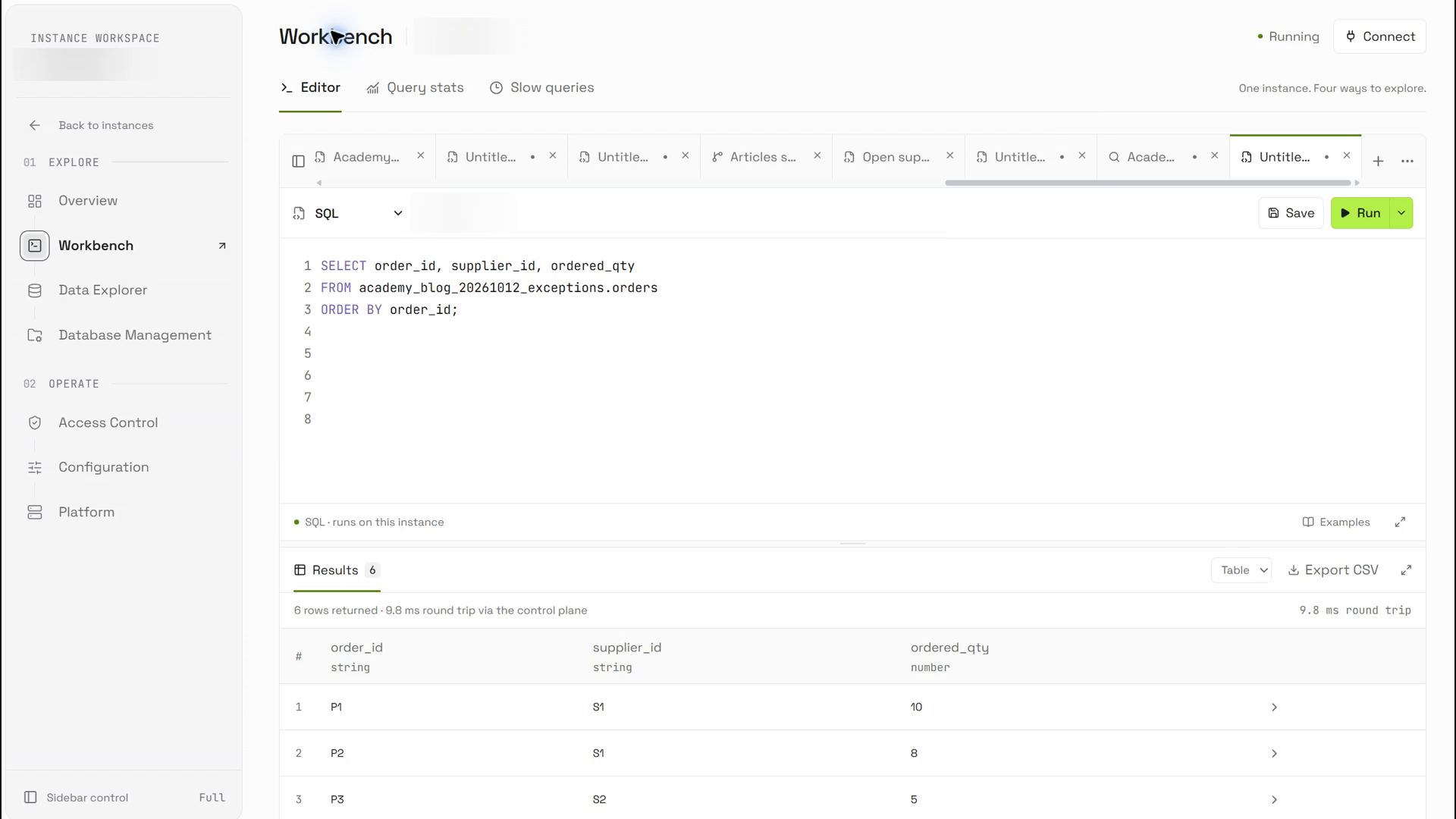
The actual input query retains six synthetic purchase orders, their supplier references and ordered quantities.
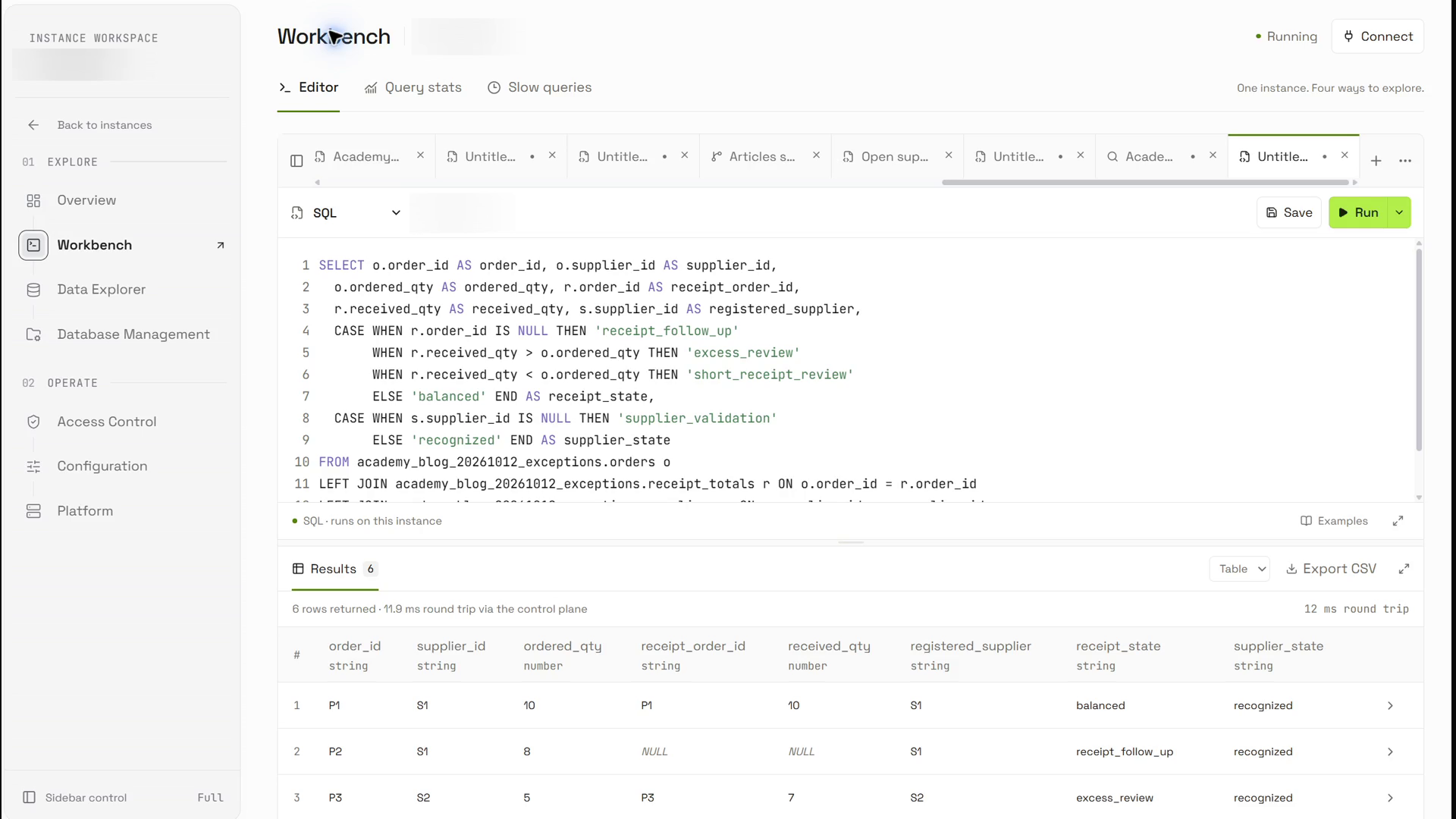
The successful report starts from orders and checks receipt totals and supplier references independently.
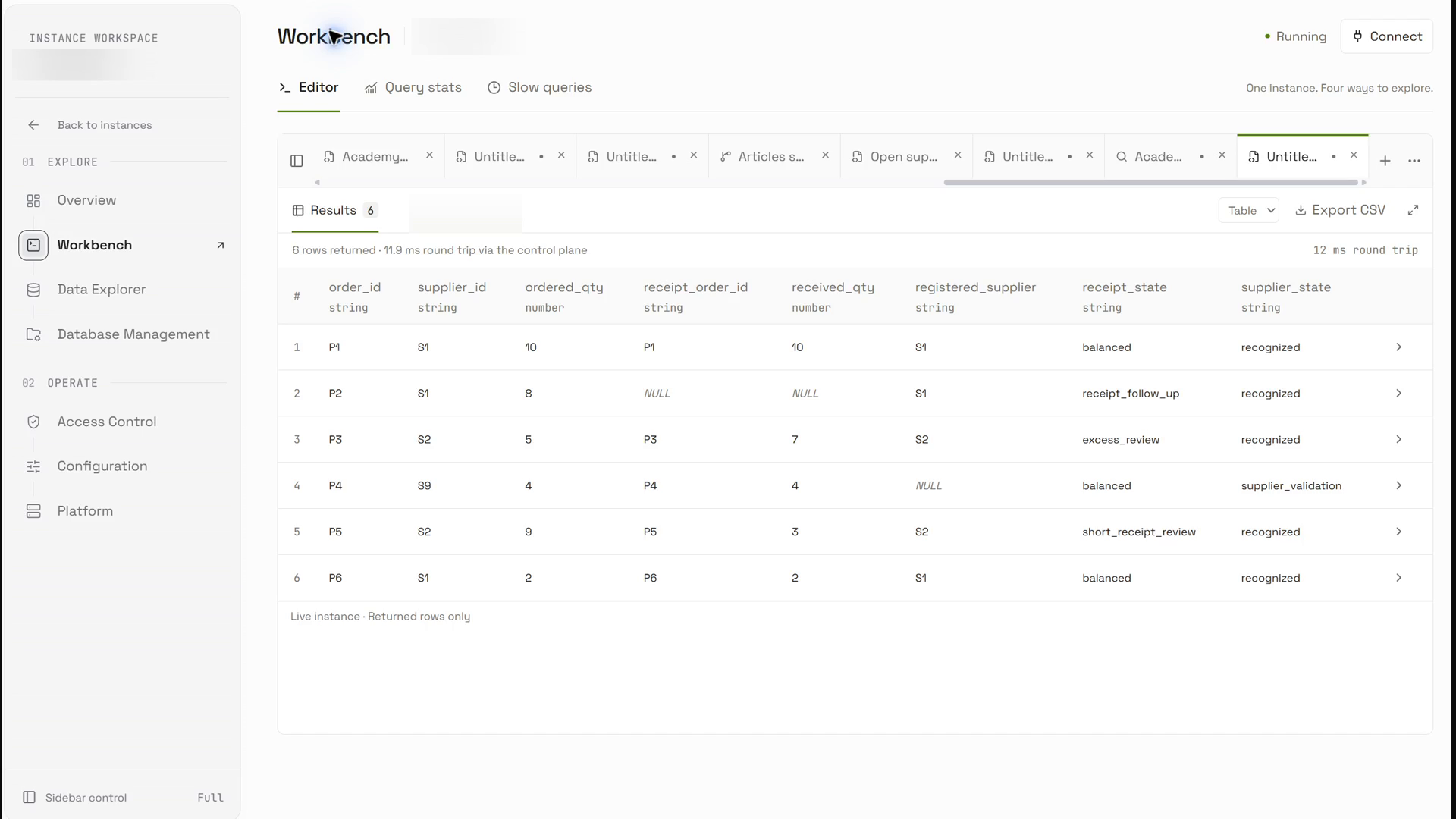
The actual six-row result preserves missing and unrecognized references; the CSV adapter routes four exception items.
Reproduce the verified handoff
Executed fixture and report SQL · Actual downloaded CSV · CSV adapter · Executed adapter output · Verification receipt.
Choose a new demonstration namespace for a repeat run. Execute the setup statements, inspect the stored input rows, and then execute this report. Export its complete successful result and pass that actual file to the adapter.
SELECT o.order_id AS order_id, o.supplier_id AS supplier_id, o.ordered_qty AS ordered_qty, r.order_id AS receipt_order_id, r.received_qty AS received_qty, s.supplier_id AS registered_supplier, CASE WHEN r.order_id IS NULL THEN 'receipt_follow_up' WHEN r.received_qty > o.ordered_qty THEN 'excess_review' WHEN r.received_qty < o.ordered_qty THEN 'short_receipt_review' ELSE 'balanced' END AS receipt_state, CASE WHEN s.supplier_id IS NULL THEN 'supplier_validation' ELSE 'recognized' END AS supplier_state FROM academy_blog_20261012_exceptions.orders o LEFT JOIN academy_blog_20261012_exceptions.receipt_totals r ON o.order_id = r.order_id LEFT JOIN academy_blog_20261012_exceptions.suppliers s ON o.supplier_id = s.supplier_id ORDER BY order_id;python route-export.py export.csvThe adapter checks a local CSV and produces application output. It performs no network calls or external actions. The packaged synthetic-contract-input.csv is a separate offline test input; it is not the actual console export.
Diagnose and recover safely
If one order suddenly appears several times, inspect the join grain first. Multiple receipts are often valid events. Aggregate only after the team agrees whether returns, cancellations and partial deliveries belong in the total. Keep the source receipt IDs so an operator can explain the calculation.
Boundaries and the next improvement
This prototype does not approve a payment or evaluate contractual tolerances. A production queue needs a cutoff, deduplication rule, resolution history and a way to reopen a finding when late data arrives. Add one order that has both an unknown supplier and an excess receipt; verify that both findings survive.
The practical takeaway
A useful exception inbox preserves the complete input set and explains each finding. The recorded example connects a successful OriginChainDB report to a checked application rule. Extend it with source receipt IDs, a cutoff, duplicate handling and resolution history before using it for an operating purchasing workflow.
Continue with the product reference
OriginChainDB SQL documentation. The integration design was checked against the local official documentation and Python client source on 9 October 2026. Source inspection does not establish the behavior of the current deployment.
Local Python execution: sanitized receipt. The recorded SQL-to-CSV scope is verified above. No customer data, performance benchmark or production deployment is claimed.