See what is waiting.
Filter open work and group it by status, team or queue to understand where attention is needed.
Operational analytics
Filter, group and inspect the records your application already writes. Turn activity into focused summaries your team can use to understand the work.
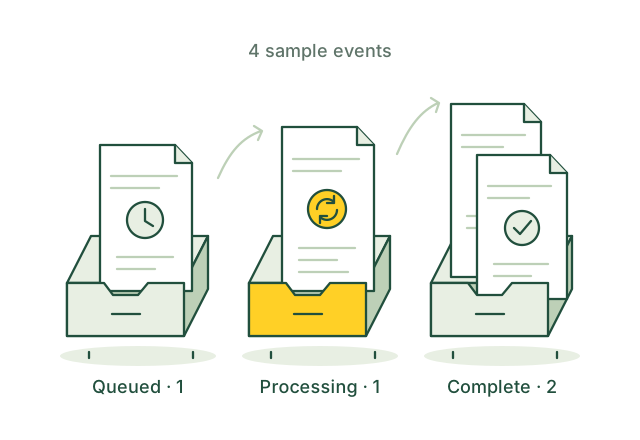
Group your records to see what is waiting, in progress or complete.
Illustrative applicationWhat you can build
Filter open work and group it by status, team or queue to understand where attention is needed.
Define the rows and conditions that belong in each metric before calculating counts, sums or grouped results.
Move from an aggregate to the rows behind it, keeping the dashboard connected to the operational question.
The application workflow
A useful dashboard starts with the meaning of its metrics and ends with an honest indication of how current they are.
event_id status team amount created_at Your schema, built around your application.
Choose the relevant rows, time window and grouping key. Separate pending work from completed work before counting or summing.
Use EXPLAIN to review the plan, then run a focused aggregation. Check schema indexes and predicates for frequently refreshed queries.
Render the returned rows and show the last successful refresh. Handle failures and cached results deliberately in your application.
How it fits together
 OriginChainDB
Filters records, joins supported data and computes aggregates. Returns rows and query plans for your application to inspect.
Defines metric semantics, refresh intervals, caching and alerts. Renders results and makes stale or failed refreshes visible.
This pattern uses application-driven refreshes, not an implied push-update guarantee. Evaluate large historical scans separately; sorts, joins and windows can buffer inputs even when the query includes LIMIT.
Build for real use
For example, paid value should include only paid records. Verify the chosen statuses, grouping keys and time boundaries against known cases.
Choose a refresh policy and show when the last query succeeded. Account for the deployment's transaction and replica behavior.
Inspect plans and narrow inputs before expensive operations. Evaluate query limits, refresh frequency and retry behavior with representative data.
Build with OriginChainDB