
SQL · Find the facts
The question
Find this account's pending refund cases.
Filter cases by tenant, account, status and time.
Explore SQLContact centres & BPOs
Retrieve the case status, linked order and applicable refund policy. Give agents the facts and source passages they need to respond.
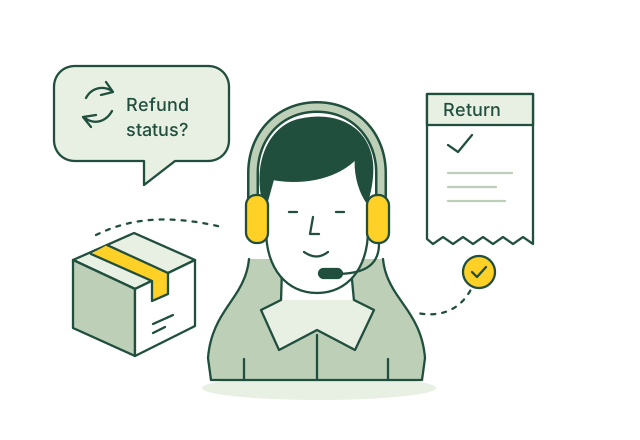
Check the return and payment before replying about a refund.
Illustrative use case01 / Use case guide
Compare the data models behind everyday industry tasks, from finding records to following connections.
Suggested model combination
Scroll across to compare all four models| Use case | How the data models help | SQL | Vector | Graph | Full-text | Source |
|---|---|---|---|---|---|---|
| Find approved policy answers An agent needs current guidance for a customer's question. | Vector matches the question to guidance; SQL filters approved versions; Full-text retrieves exact policy terms for the agent to check. | SQL included | Vector included | Graph not needed for this example | Full-text included | |
| Review customer case history An agent needs the earlier contacts and actions behind an open case. | Graph connects the case to contacts, customers and tasks; SQL orders the authorized records by time and status. | SQL included | Vector not needed for this example | Graph included | Full-text not needed for this example | |
| Prepare an agent handoff A receiving agent needs context without asking the customer to repeat everything. | Graph follows transferred contact records; SQL retrieves their sequence; Full-text finds relevant passages in the conversation transcript. | SQL included | Vector not needed for this example | Graph included | Full-text included | |
| Track promised follow up A promised callback or back office action needs an owner and due date. | Graph connects follow up tasks to the originating case and responsible team; SQL lists outstanding work by due date. | SQL included | Vector not needed for this example | Graph included | Full-text not needed for this example | |
| Match agents to requests A request needs an available agent with the right language and skills. | Graph links agents to skills and queues; SQL checks proficiency levels and availability for the routing application. | SQL included | Vector not needed for this example | Graph included | Full-text not needed for this example | |
| Review call script adherence Supervisors need evidence that required statements were used during calls. | SQL selects contacts for the review period and queue; Full-text locates required wording in transcripts for supervisor review. | SQL included | Vector not needed for this example | Graph not needed for this example | Full-text included | |
| Find repeated contact reasons Managers need to understand which issues are driving repeated calls. | Vector finds conversations describing similar issues; SQL compares their counts by queue, product and period. | SQL included | Vector included | Graph not needed for this example | Full-text not needed for this example | |
| Identify cases needing escalation Supervisors need to review conversations containing unresolved complaints. | Full-text finds complaint and escalation phrases; SQL filters unresolved contacts and their waiting times for supervisor review. | SQL included | Vector not needed for this example | Graph not needed for this example | Full-text included | |
| Check queue staffing needs Planners need workload totals before preparing agent schedules. | SQL summarizes historical contact volumes and handling times by queue and interval for a separate forecasting tool. | SQL included | Vector not needed for this example | Graph not needed for this example | Full-text not needed for this example | |
| Find overdue case actions A supervisor needs to see cases that have missed a response deadline. | SQL compares open cases with their service deadlines; Graph connects each overdue case to its owner and escalation team. | SQL included | Vector not needed for this example | Graph included | Full-text not needed for this example |
Use the query interfaces you need, then connect their results through shared record IDs in your application.
These sources describe real industry workflows. The model combinations above are proposed OriginChainDB designs, not customer deployment claims.
02 / A closer look
A customer asks why a refund has not arrived. The agent needs the return status, payment reference and the policy that applies to that purchase. Similar past cases may help, but an old answer can contain an outdated rule.
Agents switch between case, order and policy systems.
Similar questions use different words.
Customer and tenant permissions must follow every lookup.
Retrieve the latest transaction status and the policy for that purchase. Show sources beside any suggested reply, and escalate missing or conflicting information.
03 / Queries
Select a model to see the question it answers.
The question
Filter cases by tenant, account, status and time.
Explore SQLThe question
Find relevant guidance despite different wording.
Explore VectorThe question
Connect cases to orders, payments and returns.
Explore GraphThe question
Retrieve exact policy clauses and reference codes.
Explore Full-textUse shared record IDs to combine results from the different query interfaces in your application.
04 / Implementation
Use redacted or synthetic cases and approved articles. Define tenant access, escalation rules and actions the assistant cannot take.
Connect case, order and payment IDs. Retain tenant fields, policy effective dates and versions. Refresh indexes and embeddings after policy changes.
Apply access checks, retrieve the case facts and search current guidance. If a model drafts the reply, provide approved results and display their sources.
Compare suggestions with resolved cases. Check unsupported replies, stale policies and cross-tenant access before showing suggestions to a small agent group.
05 / Testing
Compare these results with your current process before rollout.
Have reviewers check that each suggested answer follows the cited facts and policy.
Compare the time agents need to locate the correct supporting information.
Check whether incomplete or conflicting cases reach a human reviewer correctly.
06 / Sources
Published projects and reference material relevant to this use case.
TTEC Digital
TTEC Digital announced an agent-assistance product that supplies relevant knowledge, suggested responses and workflow guidance during customer conversations.
Read the sourceConsumer Financial Protection Bureau
The CFPB describes risks from inaccurate chatbot responses and customers being unable to reach human support, particularly when financial questions become complex.
Read the sourceThese are industry references, not OriginChainDB customer stories. The implementation above is a proposed example.
Build with OriginChainDB