
SQL · Find the facts
The question
Which transfers match this account, date range and amount?
Narrow the investigation.
Explore SQLBanking
Find transfers, linked accounts and previous case notes in one investigation view. Give analysts the records they need to review an alert.
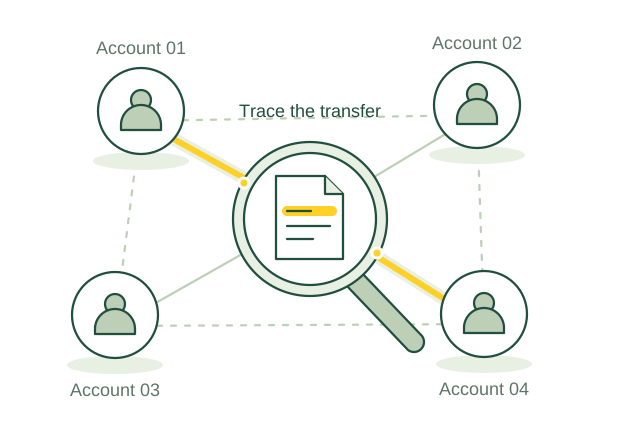
Trace a transfer through verified account links.
Illustrative use case01 / Use case guide
Compare the data models behind everyday industry tasks, from finding records to following connections.
Suggested model combination
Scroll across to compare all four models| Use case | How the data models help | SQL | Vector | Graph | Full-text | Source |
|---|---|---|---|---|---|---|
| Suspicious transfer network review Investigators need the accounts and prior cases surrounding an unusual transfer. | SQL filters transfers, Graph follows recorded account links, and Vector retrieves similarly described case notes for analyst review. | SQL included | Vector included | Graph included | Full-text not needed for this example | |
| Business ownership evidence review Onboarding teams need to verify the people behind a business account. | SQL selects current customer records, Graph traces documented ownership, and Full-text finds names in supporting filings. | SQL included | Vector not needed for this example | Graph included | Full-text included | |
| Correspondent account activity review Reviewers need to compare a respondent bank's activity with its agreed services. | SQL summarizes account activity, Graph links respondent banks and services, and Full-text retrieves relevant agreement clauses. | SQL included | Vector not needed for this example | Graph included | Full-text included | |
| Trade finance document checks Trade teams need to investigate inconsistent invoices, shipments and payment details. | SQL compares recorded values, Graph connects trade parties and shipments, and Full-text locates conflicting document descriptions. | SQL included | Vector not needed for this example | Graph included | Full-text included | |
| Sanctions alert evidence review Analysts need payment details and source records to resolve a screening alert. | SQL selects the flagged message and list version, while Full-text retrieves matching names and references for analyst review. | SQL included | Vector not needed for this example | Graph not needed for this example | Full-text included | |
| Check fraud case investigation Investigators need to connect altered checks with deposits and related accounts. | SQL compares check amounts and deposit dates, while Graph follows recorded links among checks, deposits and accounts. | SQL included | Vector not needed for this example | Graph included | Full-text not needed for this example | |
| Deposit complaint evidence retrieval Service teams need account events and earlier correspondence to resolve a deposit complaint. | SQL retrieves account events, Vector finds similarly described complaints, and Full-text locates relevant terms and correspondence. | SQL included | Vector included | Graph not needed for this example | Full-text included | |
| Funding concentration review Treasury teams need to see reliance on particular funding sources. | SQL aggregates funding by maturity and currency, while Graph groups documented relationships between funding counterparties. | SQL included | Vector not needed for this example | Graph included | Full-text not needed for this example | |
| Bank service outage tracing Incident teams need to identify which critical services depend on a failed system. | Graph traces service and supplier dependencies, while Vector retrieves similar incident reports and recovery notes. | SQL not needed for this example | Vector included | Graph included | Full-text not needed for this example | |
| Deposit insurance record preparation Operations teams need to resolve missing depositor and account ownership records. | SQL checks required fields and balances, while Graph links deposit accounts with recorded owners and beneficiaries. | SQL included | Vector not needed for this example | Graph included | Full-text not needed for this example |
Use the query interfaces you need, then connect their results through shared record IDs in your application.
These sources describe real industry workflows. The model combinations above are proposed OriginChainDB designs, not customer deployment claims.
02 / A closer look
An analyst receives an unusual-transfer alert. The payment record is in one system, linked accounts are in another, and previous investigations sit in written case notes. The analyst needs the supporting evidence in one place.
A single transaction does not show the surrounding network.
Case notes use different words for similar activity.
Outdated identity links can send a review in the wrong direction.
Filter the transactions by account and time, follow verified account links, then search related case notes. Show the source of each result so the analyst can check it.
03 / Queries
Select a model to see the question it answers.
The question
Narrow the investigation.
Explore SQLThe question
Find similarly described cases.
Explore VectorThe question
Follow verified account relationships.
Explore GraphThe question
Find exact references.
Explore Full-textUse shared record IDs to combine results from the different query interfaces in your application.
04 / Implementation
Use de-identified alerts from one review queue. Ask investigators to mark the records they needed to resolve each case.
Assign case, transfer and account IDs. Record where each account relationship came from and when it was valid. Index permitted notes.
Filter transfers with SQL, follow account links with Graph and search notes by words or meaning. Combine the results in your application with case-level access checks.
Replay closed cases. Check missing evidence, incorrect links and review time before letting analysts use the tool on open cases.
05 / Testing
Compare these results with your current process before rollout.
Compare retrieved records with the evidence investigators marked necessary.
Track links rejected because identity, timing or source quality was insufficient.
Measure time spent gathering context on comparable cases before and during the pilot.
06 / Sources
Published projects and reference material relevant to this use case.
Hong Kong Monetary Authority
HKMA describes expanded bank-to-bank financial-crime information sharing through FINEST, including the enhanced platform introduced in December 2025. This is a documented banking initiative, not an OriginChainDB deployment.
Read the sourceBIS Innovation Hub
Project Aurora tested collaborative analysis, network methods and privacy-enhancing techniques using synthetic payments data. It was a proof of concept, not a production banking implementation.
Read the sourceThese are industry references, not OriginChainDB customer stories. The implementation above is a proposed example.
Build with OriginChainDB