
SQL · Find the facts
The question
Only show in-stock bags below $80.
Check price, size, stock and market availability.
Explore SQLE-commerce & retail
Match a shopper’s words to product descriptions, then check price, stock and compatibility. Use the same product IDs across search results and inventory records.
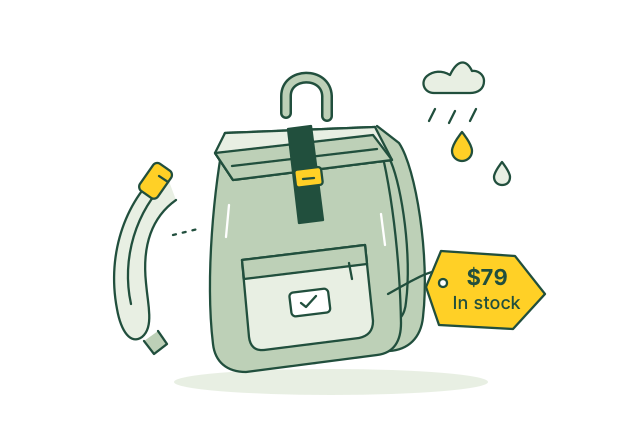
Match a rainy-commute search to an available waterproof bag.
Illustrative use case01 / Use case guide
Compare the data models behind everyday industry tasks, from finding records to following connections.
Suggested model combination
Scroll across to compare all four models| Use case | How the data models help | SQL | Vector | Graph | Full-text | Source |
|---|---|---|---|---|---|---|
| Find products by need Shoppers describe a use or occasion instead of a product name. | Vector matches the request to product descriptions; SQL checks price, stock and available sizes. | SQL included | Vector included | Graph not needed for this example | Full-text not needed for this example | |
| Look up product models Shoppers need a specific model among similar catalog entries. | Full-text finds model names in catalog text; SQL filters the matching products by variant and availability. | SQL included | Vector not needed for this example | Graph not needed for this example | Full-text included | |
| Suggest related alternatives A shopper needs another option when a selected product is unavailable. | Vector finds products with similar descriptions; SQL keeps alternatives within the shopper's price and stock limits. | SQL included | Vector included | Graph not needed for this example | Full-text not needed for this example | |
| Recommend complementary products Shoppers need useful additions to the product they selected. | Graph follows curated links to complementary products; SQL checks that each suggested item is active and in stock. | SQL included | Vector not needed for this example | Graph included | Full-text not needed for this example | |
| Check product bundle stock A bundle cannot be offered unless enough component items are available. | Graph connects bundles to their components; SQL compares component quantities with stock to calculate available bundles. | SQL included | Vector not needed for this example | Graph included | Full-text not needed for this example | |
| Track stock between stores Store staff need to find a delayed inventory transfer. | SQL filters transfers by origin, destination and status; Full-text finds transfer references and notes. | SQL included | Vector not needed for this example | Graph not needed for this example | Full-text included | |
| Explain order delivery status A customer needs the latest delivery status for each shipment. | Graph connects an order to its items and shipments; SQL retrieves the latest tracking status and update time. | SQL included | Vector not needed for this example | Graph included | Full-text not needed for this example | |
| Check return request eligibility Staff must check whether a purchased item can still be returned. | SQL checks purchase dates, market and item status; Full-text retrieves the return policy that applied to the order. | SQL included | Vector not needed for this example | Graph not needed for this example | Full-text included | |
| Find exchange size options A customer wants a different size of a returned item. | Graph links the purchased item to its size variants; SQL checks stock and price differences before staff confirm the exchange. | SQL included | Vector not needed for this example | Graph included | Full-text not needed for this example | |
| Review common return reasons Merchants need to see which product problems drive repeated returns. | SQL counts returns by recorded reason, product, size and period so merchants can review recurring problems. | SQL included | Vector not needed for this example | Graph not needed for this example | Full-text not needed for this example |
Use the query interfaces you need, then connect their results through shared record IDs in your application.
These sources describe real industry workflows. The model combinations above are proposed OriginChainDB designs, not customer deployment claims.
02 / A closer look
A shopper asks for a waterproof commuter bag under $80. The description mentions weather protection, stock lives in another feed, and accessories are linked elsewhere. Keyword matching alone misses part of the request.
Shopper language differs from catalog wording.
A relevant result may be unavailable or over budget.
Product variants and compatible accessories need context.
Use vector search to find suitable descriptions, SQL to check price and stock, and Graph to find compatible accessories. Rank eligible products in your application.
03 / Queries
Select a model to see the question it answers.
The question
Check price, size, stock and market availability.
Explore SQLThe question
Match the shopper's intent to product descriptions.
Explore VectorThe question
Follow links between variants, products and accessories.
Explore GraphThe question
Locate exact materials, model names and care terms.
Explore Full-textUse shared record IDs to combine results from the different query interfaces in your application.
04 / Implementation
Use authorized products, inventory data and search queries with customer details removed. Define price, stock and market filters.
Keep stable product IDs, description versions and source timestamps. Record accessory compatibility. Your ingestion pipeline updates records, embeddings and search indexes.
Combine result IDs in the application, check current product attributes and rank eligible items. Show the description that explains the match.
Evaluate the same queries against existing search. Check poor matches and unavailable products before a limited rollout. Recheck price and stock at checkout.
05 / Testing
Compare these results with your current process before rollout.
Measure how many top results satisfy human-reviewed shopping intents.
Track recommendations that fail the latest stock or price check.
Measure the delay between a catalog change and its searchable version.
06 / Sources
Published projects and reference material relevant to this use case.
Amazon Science
Amazon's technical account describes conversational shopping that answers product questions, compares options and makes recommendations using product information.
Read the sourceGS1
GS1 describes a gradual retail transition in which existing barcodes and richer 2D formats coexist while systems and point-of-sale capabilities are updated.
Read the sourceThese are industry references, not OriginChainDB customer stories. The implementation above is a proposed example.
Build with OriginChainDB